




Sharing documents is one of the most common activities in Microsoft 365. Whether collaborating on projects, reviewing contracts, or sharing reports, employees depend on SharePoint and OneDrive to exchange information securely. But what happens when the people who need access to a document change? You may need to update permissions, share the file with another department, or manage multiple sharing links created over time. As collaboration increases, keeping track of these links can become unnecessarily complicated.
Microsoft is addressing this challenge with SharePoint Hero Links, a new sharing experience that provides one primary link for each file or folder. Instead of repeatedly creating and distributing new URLs, users can modify the access settings of an existing Hero Link. This article explains what SharePoint Hero Links are, how they work, their benefits, and what Microsoft 365 administrators should know.
What Are SharePoint Hero Links?
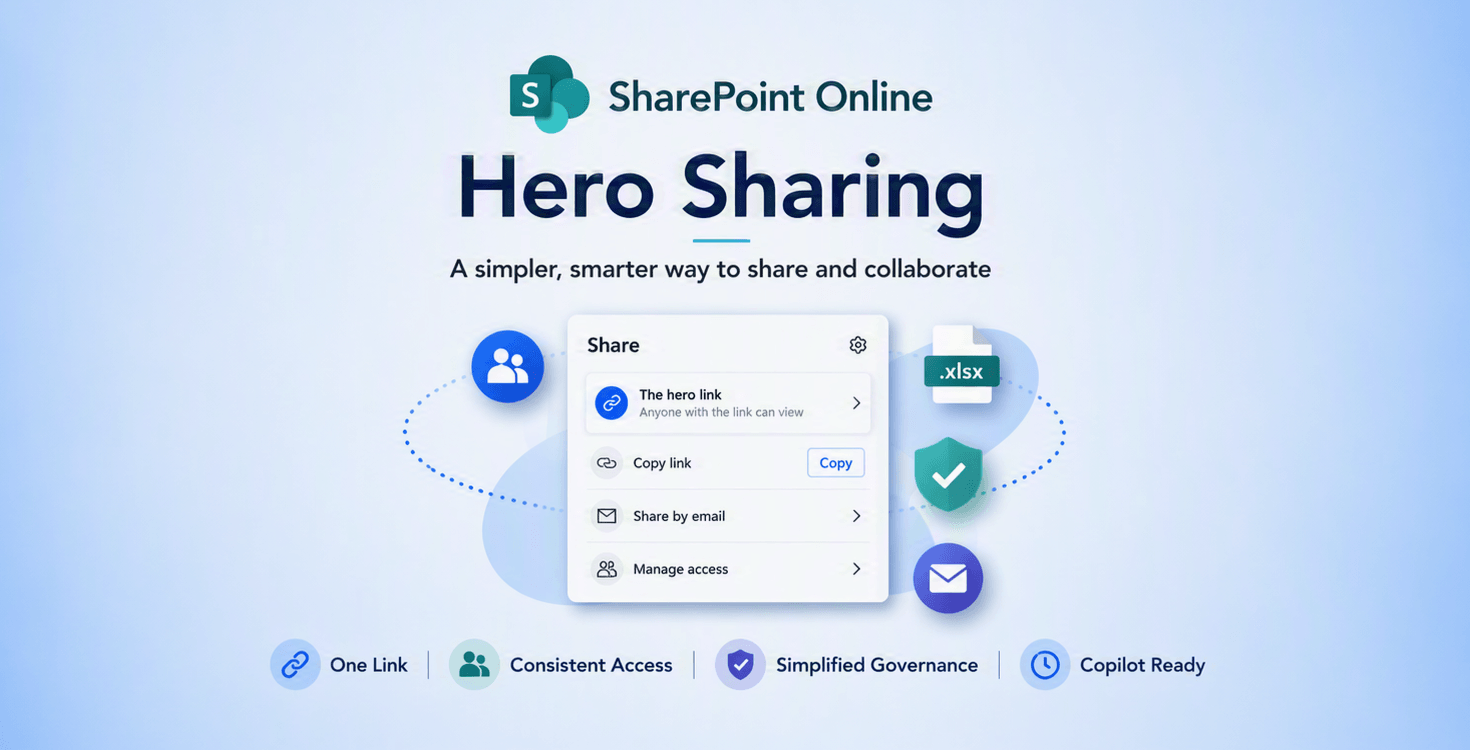
SharePoint Hero Links are a new file-sharing capability in Microsoft 365 that provides a single primary sharing link for each file or folder. The link’s access settings can be updated after sharing without changing the original URL. Traditionally, users may create different sharing links for different audiences or permission requirements. Over time, these links can become difficult to manage. Hero Links introduce a more consistent approach by allowing authorized users to modify the primary link as collaboration requirements change.
For example, a document initially shared with a small project team may later need to be accessible to a larger department. With Hero Links, the document’s primary sharing link can remain unchanged while its access settings are updated. This capability is part of Microsoft’s third-generation file-sharing experience for SharePoint, OneDrive, and Microsoft 365.
Why Is Microsoft Introducing Hero Links?
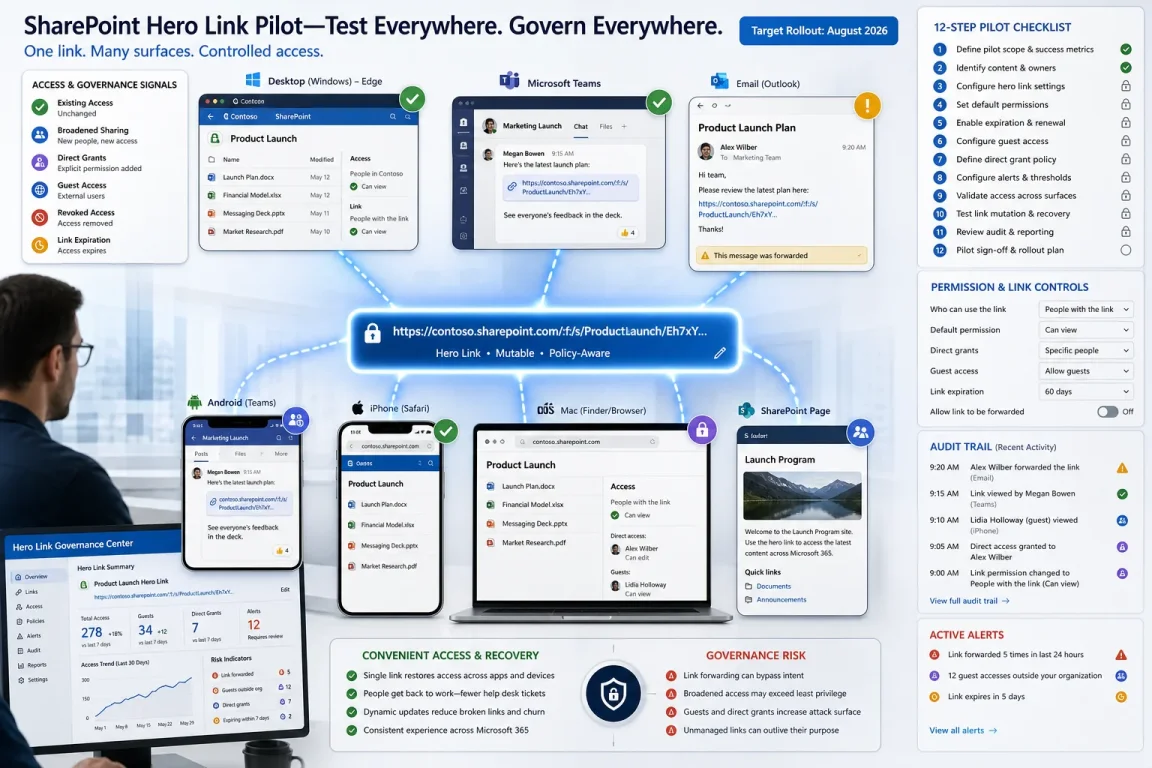
SharePoint and OneDrive already offer secure file-sharing capabilities, but managing multiple links for the same document can create challenges. Consider a project manager working on a business proposal. Initially, the proposal is shared with the sales team. Later, the finance department needs access. Once the proposal is finalized, it must be shared with company leadership. Different sharing requirements may result in multiple links with different permissions. Although traditional sharing options provide flexibility, maintaining several links can make collaboration harder to manage. Some common challenges include:
- Multiple sharing links: Different URLs for the same document can create confusion.
- Changing access requirements: Users may need to create or manage links whenever collaboration requirements change.
- Permission management: Reviewing who can access documents through different links becomes more complicated.
- Sharing inconsistencies: Employees may unknowingly distribute outdated or unnecessary sharing links.
- Administrative overhead: IT teams may spend additional time reviewing and troubleshooting sharing permissions.
Hero Links aim to reduce this complexity by providing one primary link that can adapt to changing access needs.
How Do SharePoint Hero Links Work?
Hero Links introduce several changes to the way documents and folders are shared.
1. One Primary Link for Every File or Folder
Each file and folder receives a primary Hero Link. Users can rely on this link when sharing content through supported Microsoft 365 experiences, including copying links or sharing files with colleagues. Instead of creating a new URL for every routine sharing change, users can manage the primary link more consistently. This helps reduce unnecessary link duplication and makes the sharing process easier to understand.
2. Update Permissions Without Creating a New URL
One of the most important capabilities of Hero Links is the ability to modify a link’s access settings after it has already been shared. For example, a document may initially be accessible only to employees who have been explicitly granted access. Later, an authorized user may decide to make it available to everyone in the organization who has the link. The access settings can be updated while keeping the same URL. Similarly, the audience can be restricted when broader access is no longer required.
This eliminates the need to distribute another link for those changes.
3. Flexible Sharing Audiences
Hero Links support different access audiences depending on organizational sharing policies. These include:
- Only people added: The link does not grant access beyond users who already have permission.
- People in your organization: Employees within the organization can access the document using the link.
- Anyone with the link: Broader access can be enabled where organizational policies permit anonymous sharing.
By default, the Hero Link uses the Only people added audience, providing a more restrictive starting point. Organizations can manage available sharing options through their Microsoft 365 and SharePoint policies.
4. Existing Sharing Links Continue to Work
Organizations do not need to immediately replace their previously distributed sharing links. Existing links remain functional and are available under the Other Links section in the updated sharing experience. Users can continue managing specialized sharing links when they require additional options, including expiration dates or specific permissions. This allows the new primary-link experience to coexist with existing sharing requirements.
5. Improved Folder Access Management
The new sharing experience also introduces improvements to folder-based access management. Users can apply relevant folder access changes to contained items, helping maintain more consistent permissions across related files. This can be useful when managing project folders, departmental documents, or shared business repositories. However, organizations should still review unique permissions and sensitive content before making broad access changes.
SharePoint Hero Links vs. Traditional Sharing Links
The following table highlights the main differences between traditional sharing and the new Hero Link experience.
| Feature | Traditional Sharing Links | SharePoint Hero Links |
|---|---|---|
| Primary link | Multiple links may exist for the same file | One primary sharing link |
| Permission updates | Individual links may need to be managed or replaced | Primary link access can be updated |
| URL changes | New links may have different URLs | Existing Hero Link URL stays the same |
| Link management | Multiple links can increase complexity | Reduced primary-link duplication |
| Sharing flexibility | Different links for different scenarios | Flexible primary link plus additional links |
| Existing links | Managed as separate sharing links | Available under Other Links |
| Security | Governed by SharePoint sharing policies | Continues to follow organizational sharing restrictions |
The biggest improvement is the ability to modify the primary link without repeatedly generating new URLs.
What Are the Key Benefits of SharePoint Hero Links?
1. Simplified File Sharing
Hero Links provide a more consistent sharing experience. Instead of searching through several previously created links, employees can use a primary link for the document. This makes daily collaboration easier, especially for documents shared frequently across departments.
2. Better Control Over Sharing Permissions
Access requirements often change throughout a document’s lifecycle. Hero Links allow authorized users to modify the audience of an already shared link. This makes it easier to expand or restrict link-based access without creating another URL.
3. Reduced Sharing Link Sprawl
Sharing link sprawl occurs when multiple links are created for the same document over time. Hero Links reduce unnecessary link creation by allowing the primary link to be reused. For organizations managing thousands of documents, this can make sharing practices more consistent and easier to review.
4. More Efficient Team Collaboration
Teams frequently collaborate across departments, projects, and business units. When new participants join a project, an authorized user can update the primary sharing link’s access settings. People with appropriate edit access can also reshare content and add collaborators, subject to organizational settings. This can reduce repetitive sharing activities and unnecessary communication.
5. Improved Sharing Governance
For IT administrators, Hero Links introduce an opportunity to standardize how employees share information. Organizations can review default sharing audiences, communicate appropriate access practices, and establish more consistent sharing guidelines. However, Hero Links do not replace existing Microsoft 365 security controls. Proper permission management and ongoing access reviews remain essential.
How to Use SharePoint Hero Links?
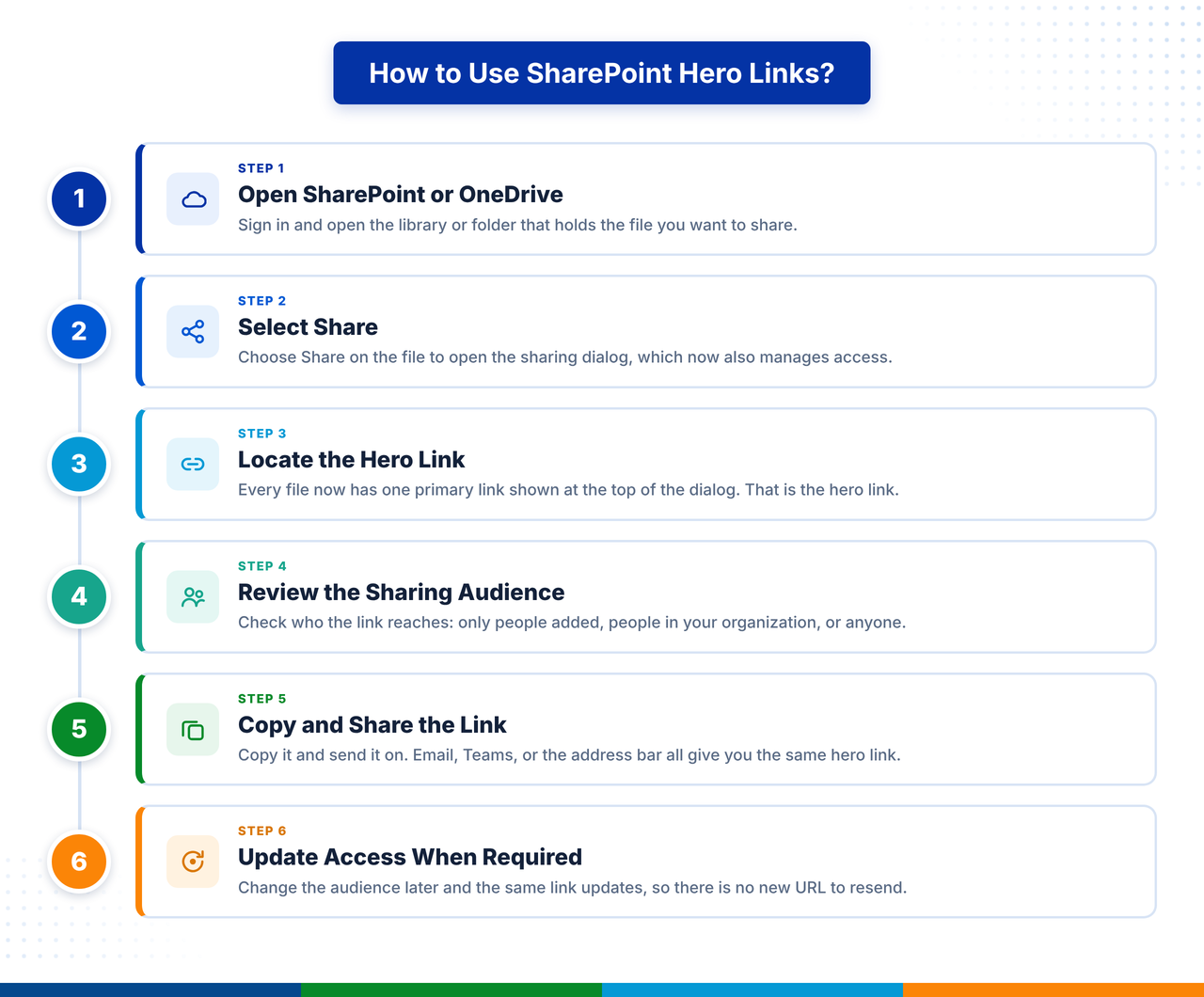
The exact interface may vary depending on feature availability, but the intended sharing process is straightforward.
Step 1: Open SharePoint or OneDrive
Navigate to the file or folder you want to share.
Step 2: Select Share
Open the sharing experience for the selected document.
Step 3: Locate the Hero Link
In the updated sharing dialog, review the primary sharing link and its current access settings.
Step 4: Review the Sharing Audience
Check whether the link is restricted to existing users or allows a broader audience.
Step 5: Copy and Share the Link
Share the primary link through the available Microsoft 365 sharing options.
Step 6: Update Access When Required
If collaboration requirements change, return to the sharing settings and modify the Hero Link audience. The primary URL can remain unchanged while access through that link follows the updated permissions. This is the central improvement of the Hero Link experience.
What Should Microsoft 365 Administrators Know About Hero Links?
While Hero Links simplify everyday sharing, organizations must continue managing file access according to their security and compliance requirements.
Review Default Sharing Settings
Administrators can configure the default Hero Link audience at the SharePoint site collection or OneDrive level. Microsoft identifies the DefaultMainLinkScope setting for this purpose. Supported defaults include OnlyPeopleAdded and Organization. This helps organizations choose a suitable starting audience for different sites.
Understand Existing Permission Behavior
Hero Links do not replace direct permissions, inherited permissions, or group-based access. A user’s effective access can still come from several permission sources. For example, restricting a Hero Link does not necessarily remove access previously granted through a SharePoint group or another sharing link. Administrators should continue reviewing all relevant access paths.
Maintain External Sharing Controls
Anonymous and external sharing remain subject to organizational policies. Where broader link access is permitted, administrators should ensure the configuration aligns with the sensitivity of the information being shared.
Educate Employees About Access Changes
One important consideration is that expanding the audience of a Hero Link can affect an already distributed URL. If that URL has been shared in emails, Teams conversations, or other locations, changing its audience may allow additional recipients to open the document. Organizations should educate employees about the implications of changing link access settings.
Review Existing Sharing Links
Previously created sharing links remain available under Other Links. Administrators should consider these links during permission reviews rather than assuming the Hero Link is the only way users can access a document.
How Can Reality Tech Help With Secure SharePoint File Sharing?
SharePoint Hero Links represent an important improvement in Microsoft 365 collaboration, but simplified sharing alone does not guarantee effective document governance. Organizations also need properly designed SharePoint sites, structured document libraries, appropriate permissions, and clear access-management policies. At Reality Tech, we help businesses design and optimize SharePoint and Microsoft 365 environments for secure, efficient collaboration. Our services include SharePoint information architecture, document management, cloud migration, permissions planning, and governance implementation.
Whether you’re modernizing an existing SharePoint environment or improving collaboration across departments, we can help align your document management approach with your business requirements. Explore our SharePoint document management and information architecture solutions. Ready to improve document sharing and governance in Microsoft 365? Contact Reality Tech for a consultation.
Have a question?
We’re here to help. Get in touch with us anytime, 24/7