



Choosing between Google Workspace and Microsoft 365 in 2026 is less about finding a universal winner and more about matching a productivity model to how your business actually works. Both now start at the same US list price on annual business plans, yet their philosophies remain different: Google is browser-first, while Microsoft combines cloud services with desktop depth.
This guide compares apps, pricing, storage, AI, security, and scalability, then gives a practical verdict for small, mid-sized, and enterprise organizations. Start with the quick comparison below.
Google Workspace vs Microsoft 365 Comparison
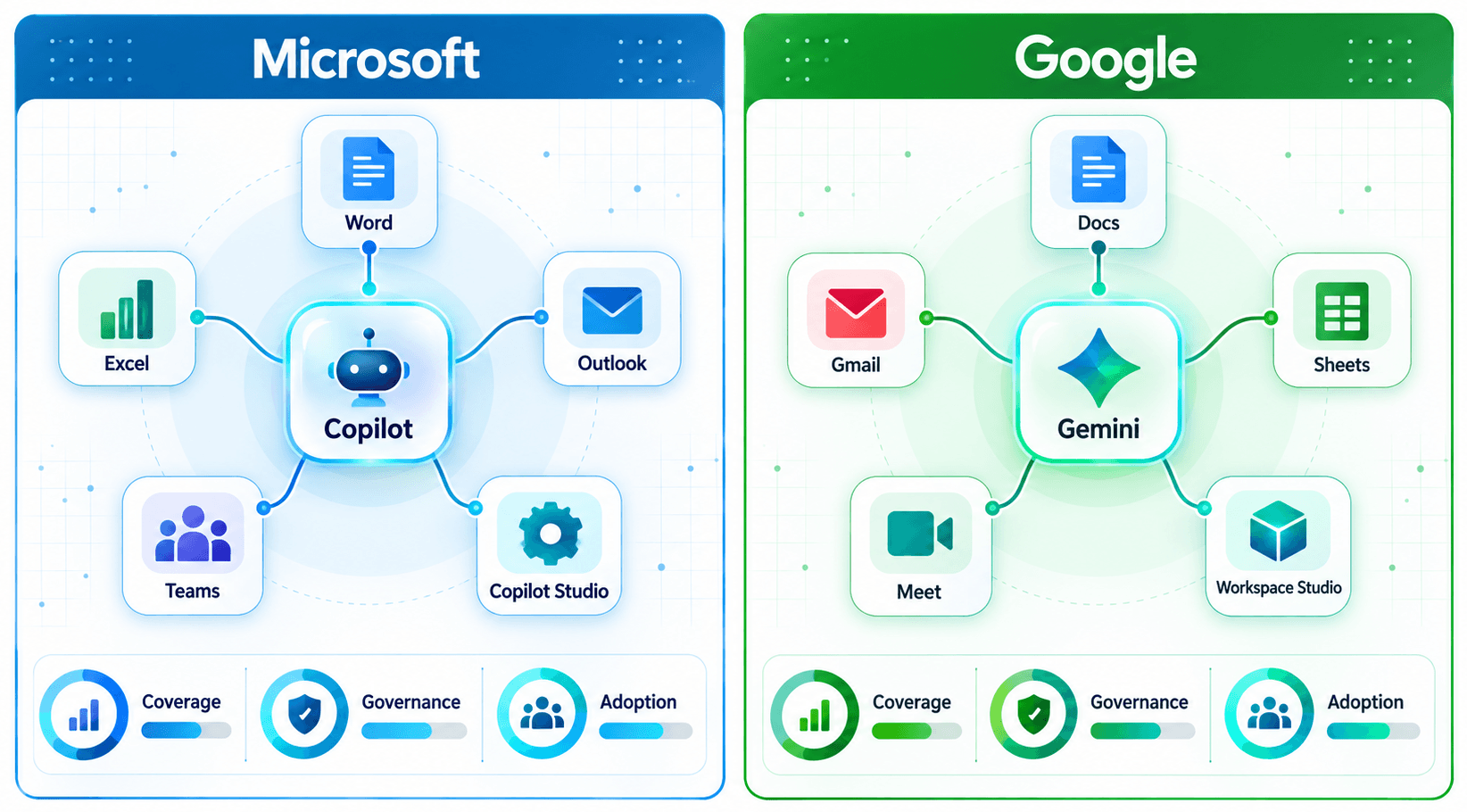
Google Workspace and Microsoft 365 cover the same core business needs, but they reach them differently. Google emphasizes browser-native collaboration and simplicity; Microsoft 365 offers web services with powerful desktop applications, deeper Windows integration, and better security for a business-platform ecosystem. Here is a detailed comparison:
| Feature | Google Workspace | Microsoft 365 |
|---|---|---|
| Documents | Google Docs | Microsoft Word |
| Spreadsheets | Google Sheets | Microsoft Excel |
| Presentations | Google Slides | Microsoft PowerPoint |
| Gmail | Outlook + Exchange | |
| Meetings and chat | Google Meet + Chat | Microsoft Teams |
| Cloud storage | 30 GB / 2 TB / 5 TB pooled per user by Business tier | 1 TB OneDrive per user on Business tiers |
| AI assistant | Gemini included; scope varies by edition | Copilot Chat included; full work-grounded Copilot paid/bundled |
| Best for | Browser-first, cloud-native teams | Desktop depth, Windows and enterprise integration |
Core Apps
| Work Need | Google Workspace | Microsoft 365 |
|---|---|---|
| Word processing | Docs | Word |
| Spreadsheets | Sheets | Excel |
| Presentations | Slides | PowerPoint |
| Gmail | Outlook + Exchange | |
| Video meetings | Meet | Teams |
| Team chat | Google Chat | Teams |
| File storage | Drive | OneDrive + SharePoint |
| Internal sites | Google Sites | SharePoint |
Google Workspace keeps most work browser-native, with smooth co-editing, real-time autosave, and a consistent experience across devices. Microsoft 365 also offers good web collaboration, but its biggest advantage is the advanced capabilities of Word, Excel, PowerPoint, and Outlook desktop apps for complex documents, data models, and offline work.
Price and Storage
| Feature | M365 Business Basic | Google Business Starter | M365 Business Standard | Google Business Standard | M365 Business Premium | Google Business Plus |
| Price/user / month (annual commitment) | $7 | $7 | $14 | $14 | $22 | $22 |
| Maximum users | 300 | 300 | 300 | 300 | 300 | 300 |
| Cloud storage | 1 TB OneDrive / user | 30 GB pooled / user | 1 TB OneDrive / user | 2 TB pooled / user | 1 TB OneDrive / user | 5 TB pooled / user |
| Email mailbox | 50 GB Exchange | Counts against pooled storage | 50 GB Exchange | Counts against pooled storage | 50 GB Exchange + archive capability | Counts against pooled storage |
| Desktop Office apps | Web + mobile only | Browser-based apps | Included | Browser-based apps | Included | Browser-based apps |
| Security features | Entra ID Free; built-in email security | Core security + admin controls | Entra ID Free; built-in email security | Enhanced controls + data-protection insights | Entra ID P1; Intune P1; Defender for Business; Defender for Office 365 P1; Purview protection/DLP | Advanced controls; Vault; enterprise device management |
| AI assistant included | Copilot Chat; full Copilot separate | Gemini in Gmail + Gemini app | Copilot Chat; full Copilot separate | Gemini across Workspace apps | Copilot Chat; full Copilot separate | Gemini across Workspace apps |
| Video meeting capacity | Up to 300 | 100 | Up to 300 | 150 | Up to 300 | 500 |
Figures shown are standard US list prices for annual commitments as of October 2026. Promotions, taxes, regional pricing, partner pricing, and monthly billing can change the effective rate.
Sources, verified October 2026: Microsoft 365 business pricing | Google Workspace pricing | Microsoft business security | Exchange Online limits
Microsoft 365 Copilot vs Google Gemini AI
| Dimension | Microsoft 365 Copilot | Google Gemini |
|---|---|---|
| How it is sold | Copilot Chat is included with eligible subscriptions; Microsoft 365 Copilot Business is a paid add-on or bundle. Enterprise Copilot is separately licensed. | Gemini capabilities are included in commercial Workspace plans; coverage varies by edition. Broader Gemini Enterprise/Google Cloud agent services are separate. |
| Editions | Business subscriptions up to 300 users; qualifying enterprise plans for Microsoft 365 Copilot | Workspace Business and Enterprise editions; AI depth varies by tier |
| List price | Copilot Business: $21/user/month annually standard list (2026 promotion may be lower). Enterprise Microsoft 365 Copilot: $30/user/month annually. | Core Gemini capabilities are included in Workspace seat pricing; separate Google Cloud agent services are usage-based or separately priced. |
| Where it works | Word, Excel, PowerPoint, Outlook, Teams, Microsoft 365 Copilot app | Gmail, Docs, Sheets, Meet, Chat, Gemini app and other Workspace experiences depending on edition |
| Custom agent building | Copilot Studio; some agent use is metered or capacity-based | Workspace Studio and broader Gemini Enterprise / Google Cloud agent tooling |
The AI value comparison is no longer simply “included versus extra.” Google includes Gemini capabilities in Workspace seats, with broader in-app coverage from Business Standard upward. Microsoft includes Copilot Chat with eligible subscriptions, while work-grounded Copilot inside core apps is sold through Copilot Business or enterprise licensing. Budget against real adoption and use cases, not total headcount. Licensing scoping, pilots, and rollout are exactly what Microsoft Copilot solutions are built to handle.
2026 verification: Microsoft Copilot Business pricing | Microsoft 365 Copilot enterprise pricing | Google AI in Workspace | Google Business edition comparison
Access and Productivity
| Aspect | Google Workspace | Microsoft 365 |
|---|---|---|
| Primary work mode | Browser-first | Desktop apps plus web |
| Offline capability | Offline modes available, but cloud-first | Full offline desktop apps on Standard/Premium |
| Local file copies | Cloud-native sync and Drive for desktop | Standard local files plus OneDrive sync |
| Advanced feature depth | Lighter, collaboration-first tooling | Deeper desktop features for complex work |
| Mobile apps | Full mobile suite | Full mobile suite |
Workspace favors cloud-native access: open a browser, sign in, and collaborate with autosave and revision history. Microsoft 365 adds a stronger offline path through full desktop applications and conventional local-file workflows. That matters for unreliable connectivity, complex Excel models, large presentations, or teams that must work productively without continuous access to the cloud. For organizations that lean on that local sync path, an OneDrive optimization service keeps libraries fast and reliable as file volumes grow.
Security and Compliance
| Capability | Google Workspace | Microsoft 365 |
|---|---|---|
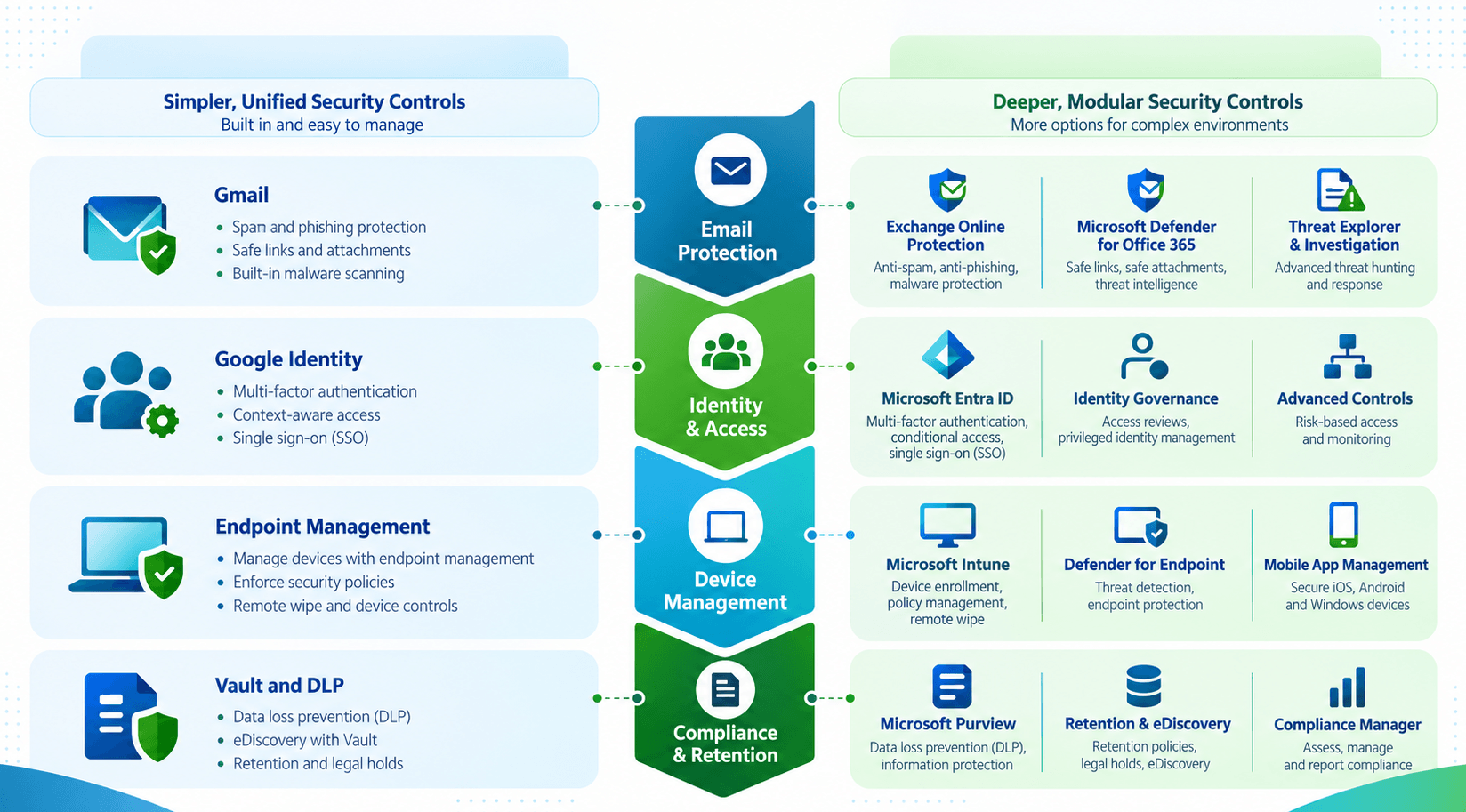
| Default email protection | Built-in Gmail anti-spam, anti-phishing, malware and admin protections | Built-in Exchange Online protection on business plans; Business Premium adds Defender for Office 365 Plan 1 |
| Compliance and retention | Vault in Business Plus; broader DLP and advanced controls depend on edition | Purview retention, information protection, DLP, audit and eDiscovery capabilities depend on plan; deeper in Premium/enterprise |
| Identity and access | Google identity, SSO and context-aware capabilities on supported editions | Entra ID Free on Basic/Standard; Entra ID P1 and Conditional Access in Business Premium |
| Device management | Endpoint management; advanced device controls increase by edition | Basic Mobility and Security; Business Premium adds Intune Plan 1 and supports Autopilot workflows |
Google Workspace can be simpler to operate because many protections are centrally managed with strong defaults. Microsoft 365 exposes more security and compliance layers, especially in Business Premium and enterprise licensing. That additional depth is valuable for regulated environments. It also requires disciplined configuration across Entra, Intune, Defender, Exchange, and Purview, rather than assuming the licenses secure themselves. Ensuring that stack up correctly is the daily work of Microsoft Purview security and compliance services.
2026 verification: Microsoft 365 business security | Business Premium security stack | Google Workspace Business editions | Google Business feature comparison
Integration and Scalability
| Aspect | Google Workspace | Microsoft 365 |
|---|---|---|
| Business plan user ceiling | 300 users; Enterprise beyond | 300 users; Enterprise beyond |
| Third-party app marketplace | Broad Google Workspace Marketplace ecosystem | Broad AppSource, Teams, Azure and partner ecosystem |
| Legacy and enterprise integration | Strong SaaS integration; lighter legacy stack | Deep integration with Windows, Active Directory/Entra, Dynamics, Azure and many ERP environments |
| Platform breadth | Focused productivity, collaboration and Google Cloud adjacency | Productivity plus Power Platform, Dynamics, security, Windows and Azure |
Workspace scales cleanly for organizations that want a focused productivity stack and broad SaaS interoperability. Microsoft 365 scales deeper into the operating environment through Entra ID, Windows management, SharePoint, Power Platform, Dynamics, and Azure. Organizations already invested in Microsoft infrastructure usually gain more integration value by staying inside the same identity, security, automation, and data ecosystem.
Data and Insights
| Capability | Google Workspace | Microsoft 365 |
|---|---|---|
| Spreadsheet analysis | Sheets; strong collaboration and accessible analysis | Excel; advanced modeling, Power Query and richer analytical depth |
| Business intelligence | Looker Studio and Google Cloud analytics options | Power BI ecosystem; separate licensing may apply for advanced sharing/governance |
| Admin and usage reporting | Admin activity and usage reports | Microsoft 365 admin, usage, security and compliance reporting |
| Team performance analytics | Additional products or third-party tools often needed for deep operational analytics | Additional products/licensing or third-party tools often needed for deep operational analytics |
For data-heavy teams, Microsoft has the stronger native story. Excel remains deeper for modeling, Power Query, advanced formulas, and large analytical workflows, while Power BI extends reporting and semantic modeling with separate licensing where required. Google Sheets and Looker Studio are effective for lighter analysis, but both platforms may still need additional tools for deep operational analytics. Scoping those Power BI licenses and dashboards is standard work for Microsoft Power BI consulting services.
Where is Google Workspace Better than Microsoft 365?
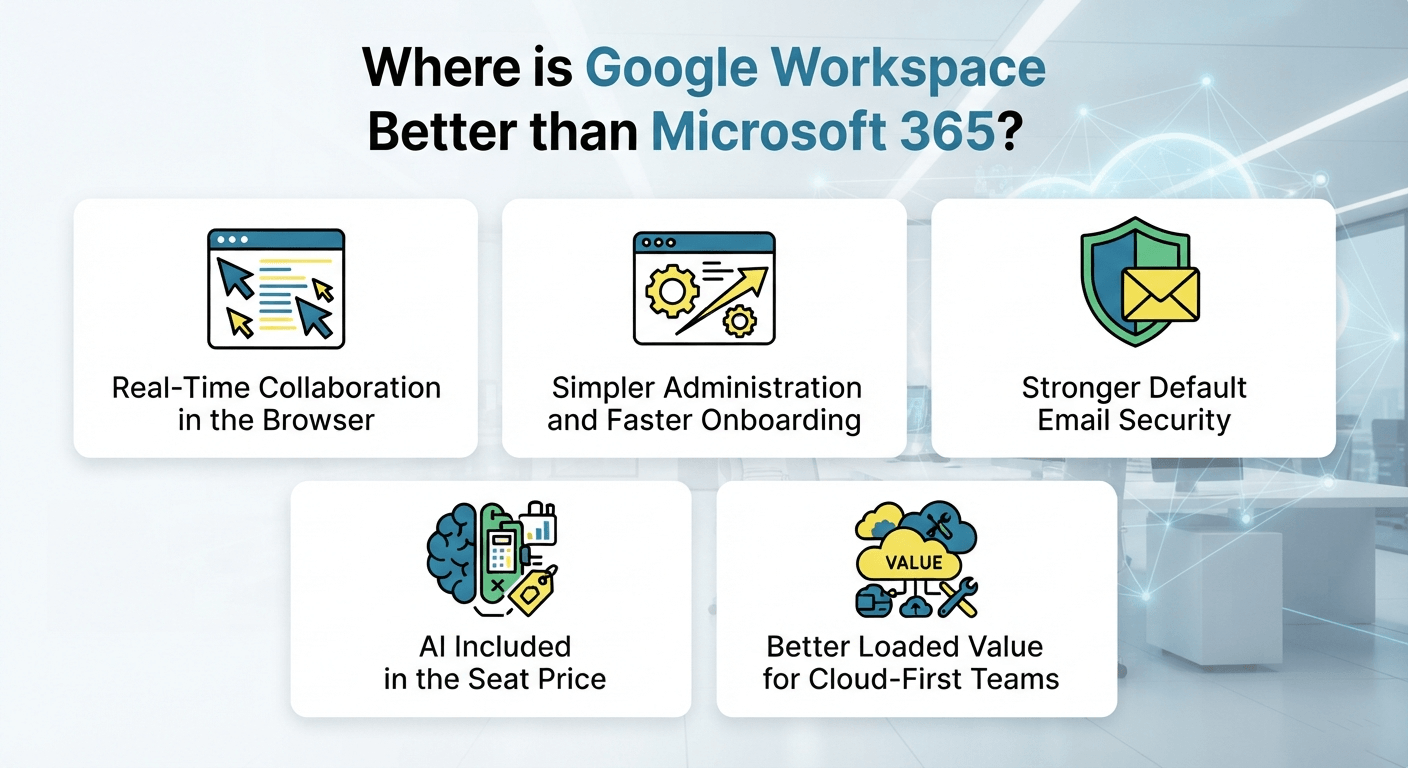
Google Workspace is strongest when speed, browser collaboration, and low-friction administration matter most. Teams co-edit in real time with autosave and version history, admins manage users and devices from one console, Gemini ships with the seat, and new hires become productive with a browser and an account.
Real-Time Collaboration in the Browser
Google Workspace remains exceptionally smooth for simultaneous browser-based editing. Multiple contributors can work in the same Docs, Sheets, or Slides file with visible cursors, comments, suggestions, instant autosave, and detailed version history. Microsoft has closed much of the collaboration gap, but Google’s browser-native workflow still feels especially natural for fast-moving, distributed teams.
Simpler Administration and Faster Onboarding
Workspace is easier to standardize when a business wants fewer administrative surfaces. The Admin console brings users, apps, sharing, devices, and core security controls into a relatively compact experience, and new employees can become productive quickly with a browser and account. This is especially valuable when there isn’t a large, dedicated IT operations team.
Stronger Default Email Security
Gmail’s advantage is operational simplicity rather than the absence of security in Microsoft 365. Google applies mature spam, malware, phishing, and account protections with relatively little tuning. Microsoft Business Basic and Standard include built-in Exchange Online protection, while Business Premium adds Defender for Office 365 Plan 1. Smaller teams may prefer Google’s lower-touch security administration.
AI Included in the Seat Price
Google made Gemini capabilities part of commercial Workspace plans, so AI no longer requires a separate per-user Gemini add-on for core Workspace use. Business Starter includes Gemini in Gmail and the Gemini app, while Standard and Plus extend AI across more Workspace applications. At scale, that can materially reduce the incremental cost of broad AI access.
Better Loaded Value for Cloud-First Teams
Cloud-first teams can get strong value from Workspace when they do not need desktop Office applications or Microsoft’s broader identity and endpoint stack. In 2026, the base US annual business prices match Microsoft at $7, $14, and $22, so the savings case comes from included Gemini, simpler administration, pooled storage, and avoiding add-ons the organization would not use.
Also Read: Microsoft 365 Copilot Vs ChatGPT For Enterprises
Where is Microsoft 365 Better than Google Workspace?
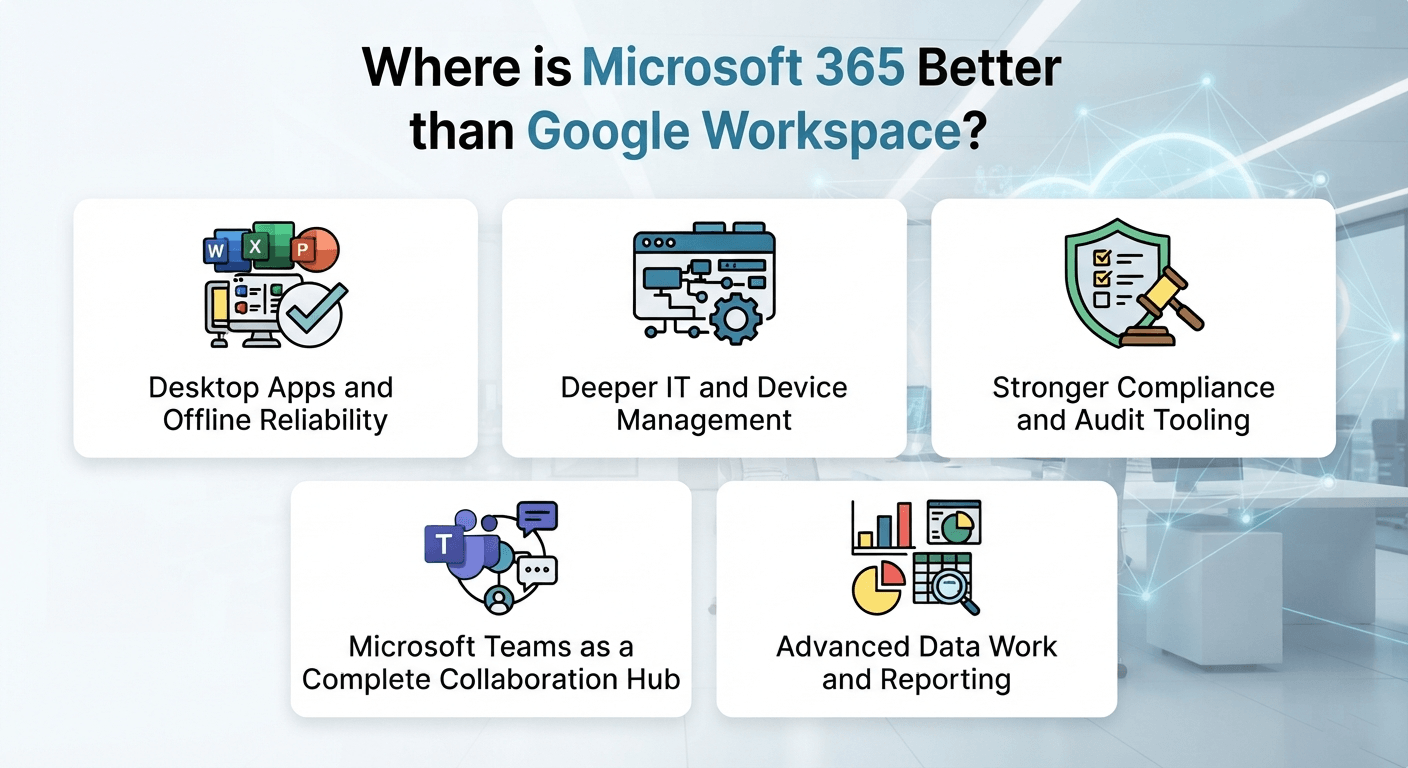
Microsoft 365 leads when desktop depth, enterprise controls, and Microsoft ecosystem integration are priorities. Full desktop Office apps support complex documents and offline work, Entra and Intune manage Windows estates, Purview anchors compliance and eDiscovery, and Power BI and Dynamics connect reporting to business processes.
Desktop Apps and Offline Reliability
Microsoft 365 Business Standard and Premium include full desktop Word, Excel, PowerPoint, Outlook, and related apps, giving users richer features and dependable offline work. Local files can also support familiar workflows, although they should not be treated as a complete backup strategy. This matters most for complex formatting, large datasets, macros, and demanding presentation work.
Deeper IT and Device Management
Microsoft’s management stack is a major advantage for Windows-centric estates. Business Premium combines Entra ID P1, Intune Plan 1, Defender for Business, and advanced email protection, while Windows Autopilot supports streamlined device provisioning. Together, these capabilities enable conditional access, application control, endpoint policy, security baselines, and lifecycle management at a level that is difficult to match with lighter tooling.
Stronger Compliance and Audit Tooling
Microsoft 365 is often favored in regulated environments because Purview, Exchange, SharePoint, and Teams can participate in a unified compliance architecture. Depending on licensing, organizations can use retention, sensitivity labels, data loss prevention, audit, legal hold, and eDiscovery capabilities. Mapping those controls to a regulated workload is routine work for microsoft compliance purview solutions.
Microsoft Teams as a Complete Collaboration Hub
Teams is more than a meeting tool: it brings chat, channels, meetings, files, apps, and workflow entry points into one client. Deploying those entry points across departments is where Microsoft Teams integration services do the heavy lifting. Exchange also provides mature shared mailbox delegation for service or departmental inboxes. Google Meet, Chat, and Groups can cover similar scenarios, but the experience is more distributed across products and behaves differently for shared-inbox workflows.
Advanced Data Work and Reporting
Finance, analytics, and operations teams often prefer the Microsoft stack. Excel offers deep modeling, Power Query, and broad business-file compatibility, while Dynamics and power platform solutions connect reporting to business processes.
Also Read: Microsoft Copilot & Microsoft 365 Copilot
Is Google Workspace or Microsoft 365 Better for Enterprises?
At enterprise scale, existing architecture, governance obligations, and switching cost usually matter more than headline license price. Deep Entra, Intune, and Purview controls, Windows integration, and Power Platform automation favor Microsoft 365, while Google keeps the core productivity layer simpler and prices advanced controls as add-ons.
| Business Need | Google Workspace | Microsoft 365 |
|---|---|---|
| Identity and device management | Strong cloud identity and endpoint controls; advanced capabilities by enterprise edition | Deep Entra, Intune, Windows, conditional-access and endpoint-security integration |
| Compliance and eDiscovery | Vault and enterprise compliance controls; edition matters | Purview eDiscovery, retention, DLP, audit and security stack with broad enterprise depth |
| Plan fit beyond 300 users | Enterprise editions remove Business user ceiling | Enterprise E3/E5 and related plans for larger organizations |
| Security stack | Google-native security with simpler administration | Defender, Entra, Intune, Purview and Windows security ecosystem |
| Telephony | Google Voice add-on | Teams Phone add-on; availability/bundling varies by enterprise licensing |
- Microsoft 365 delivers the most value when Defender, Purview, Entra, Intune, Windows, and Microsoft collaboration services are deployed together.
- Google Workspace can keep the core productivity layer simpler, while advanced security, compliance, and telephony requirements may add separate licensing.
- Switching cost can outweigh license savings because migration, coexistence, retraining, application integration, and change management continue for months.
- For global organizations, select the platform that best matches identity architecture, regulatory controls, application dependencies, and operational skills.
Is Google Workspace or Microsoft 365 Better for Medium Scale Businesses?
Mid-sized organizations should weigh administration effort against the value of desktop apps, security depth, and existing platform investments. Firms between roughly 100 and 1,000 staff feel administrative overhead strongly, so pooled storage, included AI, and simpler administration favor Workspace, while desktop Office and Microsoft security depth favor Microsoft 365.
| Business Need | Google Workspace | Microsoft 365 |
|---|---|---|
| Admin effort | Generally lower-touch and centralized | Broader admin surface; more depth and more configuration responsibility |
| Desktop app access | Browser-first productivity | Desktop Office included with Business Standard and Premium |
| Storage per user | 30 GB / 2 TB / 5 TB pooled by Business tier | 1 TB OneDrive per user across Business tiers |
| Regulated-data readiness | Business Plus adds Vault; enterprise tiers expand controls | Business Premium adds Defender/Intune/Entra P1/Purview protections; enterprise tiers go deeper |
| Existing Microsoft investment | Can coexist, but integration and identity design need planning | Strongest fit when Windows, Entra, SharePoint, Teams, Power Platform, Dynamics or Azure are already strategic |
- Firms between roughly 100 and 1,000 staff feel administrative overhead strongly, making platform simplicity an important total-cost factor.
- Pooled Google storage can favor uneven usage, while Microsoft’s 1 TB-per-user model gives every employee a predictable individual allocation.
- Persona-based dual licensing can work, but duplicated identity, support, governance, integration, and collaboration processes introduce hidden operating costs.
- Microsoft 365 is usually stronger when desktop Office and Microsoft security integration are strategic; Workspace is compelling for browser-first operations.
For a licensing, migration, governance, and workload assessment, speak with a Microsoft 365 Consultant.
Is Google Workspace or Microsoft 365 Better for Small Business?
For small businesses, both suites are affordable; the deciding factor is usually workflow style, not a one-dollar pricing difference. Teams that work mainly in the browser pick Workspace for simpler administration and included Gemini. Businesses that exchange complex Office files pick Microsoft 365 to avoid conversion friction.
| Business Need | Google Workspace | Microsoft 365 |
|---|---|---|
| Entry price | $7/user/month annually | $7/user/month annually |
| Entry storage | 30 GB pooled per user | 1 TB OneDrive per user |
| Desktop apps at entry | Browser apps | Web and mobile apps only; desktop at Standard |
| Administration | DIY-friendly for many cloud-first teams | Manageable, but broader Microsoft admin/security options may need more IT familiarity |
| AI at entry tier | Gemini in Gmail + Gemini app | Copilot Chat included; full work-grounded Copilot requires additional licensing/bundle |
- Entry pricing is identical at standard US annual rates, so workflow and feature fit matter more than sticker price.
- Businesses exchanging complex Office files with customers, accountants, or partners can reduce conversion friction by staying on Microsoft 365.
- If advanced Excel or PowerPoint work appears regularly, Microsoft 365 Business Standard’s desktop applications often justify the move upward.
- If the team works mainly in a browser and wants minimal administration with built-in AI, Google remains a strong choice.
Also Read: Microsoft 365 Groups Vs. Teams Vs. SharePoint
How Does Reality Tech Help You Choose the Right Productivity Suite?
Both Google Workspace and Microsoft 365 are capable productivity platforms. The right choice depends on team size, industry, regulatory pressure, existing infrastructure, and how employees actually work. The 2026 shift in AI packaging also makes it worth recalculating value before your next renewal.
Reality Tech is a certified Microsoft Partner with 10+ years of experience and hundreds of successful migrations and custom projects for clients like A+E Networks, Flushing Bank, Investcorp, and Pyxis Oncology. Our Microsoft 365 solutions cover planning, migration, deployment, and governance across Teams, OneDrive, SharePoint, identity, and security, so licensing decisions connect to business outcomes. Schedule a free consultation call now to evaluate fit, cost, risk, and migration effort.
FAQs on Microsoft 365 vs Google Workspace
Google Workspace often costs less for businesses that need email, cloud storage, collaboration, and built-in AI. Microsoft 365 can cost more when businesses add Copilot, advanced security, extra storage, or compliance tools. Compare total costs against your actual requirements before choosing.
Google Workspace includes Gemini AI in its Business plans at no extra cost. Microsoft 365 charges extra: $30 per user per month for Microsoft 365 Copilot, its business AI assistant.
Switch to Microsoft 365 when your business relies on desktop Office apps, advanced Excel tools, Outlook, SharePoint, or Teams. It also makes sense when you need deeper Windows integration, centralized device management, or Microsoft-specific compliance features that better support your workflows.
Have a question?
We’re here to help. Get in touch with us anytime, 24/7