



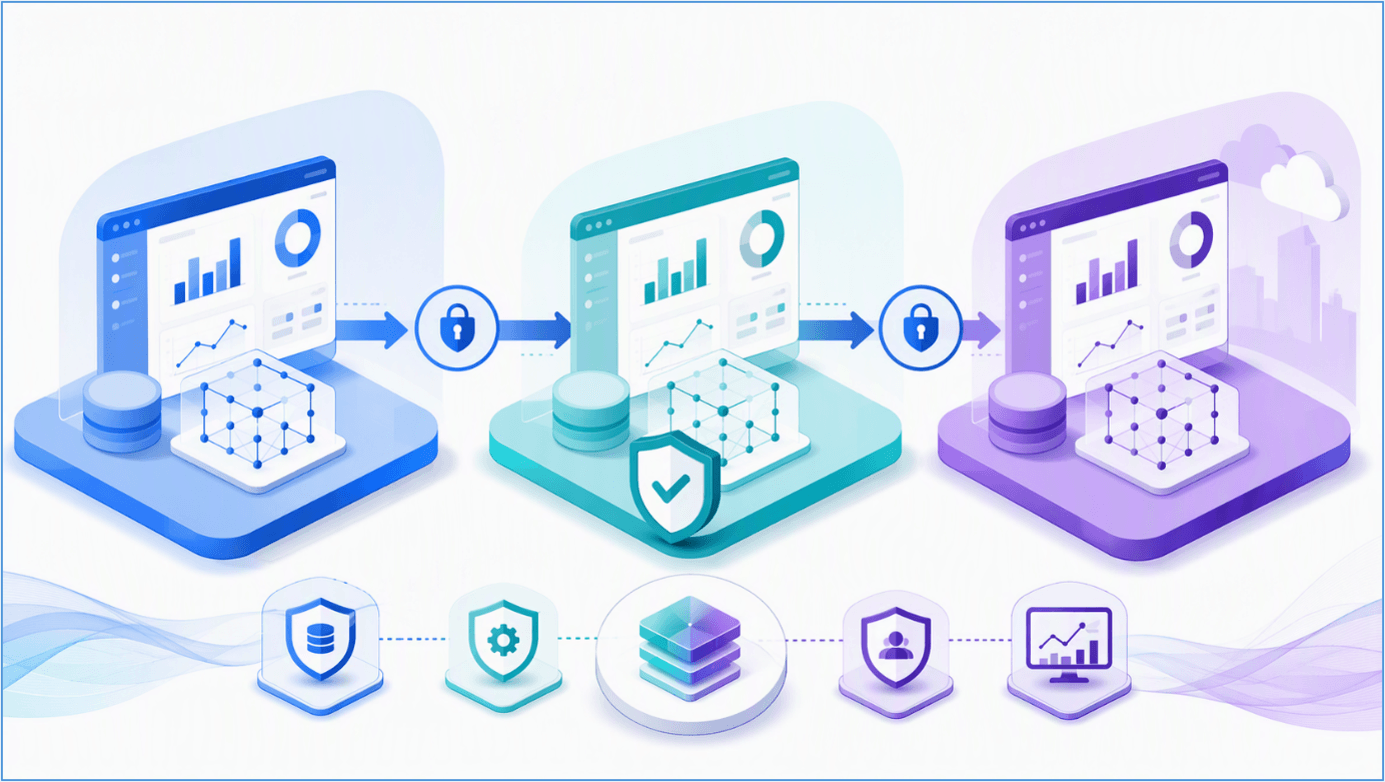
When a report influences financial reporting, operational targets, regulatory decisions, or executive priorities, a direct publish to a shared workspace creates avoidable risk. A model change can alter key measures. A connection can point to the wrong environment. Row-level security can behave differently after deployment. Even a technically successful release can expose users to stale, incomplete, or misleading information.
Power BI application lifecycle management (ALM) addresses that risk by defining how analytics content is developed, reviewed, tested, approved, deployed, monitored, and eventually retired. Microsoft Fabric deployment pipelines support this operating model by promoting supported workspace items across controlled stages, comparing stage differences, applying environment-specific rules, and enabling repeatable deployments.
This guide explains how to design a practical Power BI ALM process for enterprise reporting. It covers prerequisites, deployment architecture, testing, security, governance, common mistakes, and the point at which teams should combine deployment pipelines with source control and automation.
What is Power BI Application Lifecycle Management?
Power BI ALM is the set of people, processes, environments, and tools used to manage analytics content throughout its lifecycle. It extends beyond a PBIX file. A complete scope can include semantic models, reports, dashboards, dataflows, paginated reports, parameters, data-source connections, gateways, refresh schedules, workspace permissions, apps, documentation, and support ownership.
The objective is not to add bureaucracy. It is to make change predictable while protecting the confidence users place in data. A well-designed lifecycle gives teams a repeatable answer to four questions:
- What changed, and why?
- Who reviewed and approved the change?
- How was it validated against the correct environment and audience?
- How will the team detect and recover from a problem after release?
Microsoft positions deployment as one stage of content lifecycle management, alongside validation, support, and eventual retirement. Deployment pipelines therefore automate part of ALM; they do not replace change management, technical testing, business acceptance, or operational monitoring.
How do Fabric deployment pipelines support Power BI ALM?
Fabric deployment pipelines promote supported content between assigned workspaces. The familiar model is Development → Test/UAT → Production, although the current service supports configurable pipelines with two to ten stages. Because stage design affects permissions, release gates, and workspace architecture, define it before onboarding business-critical content.
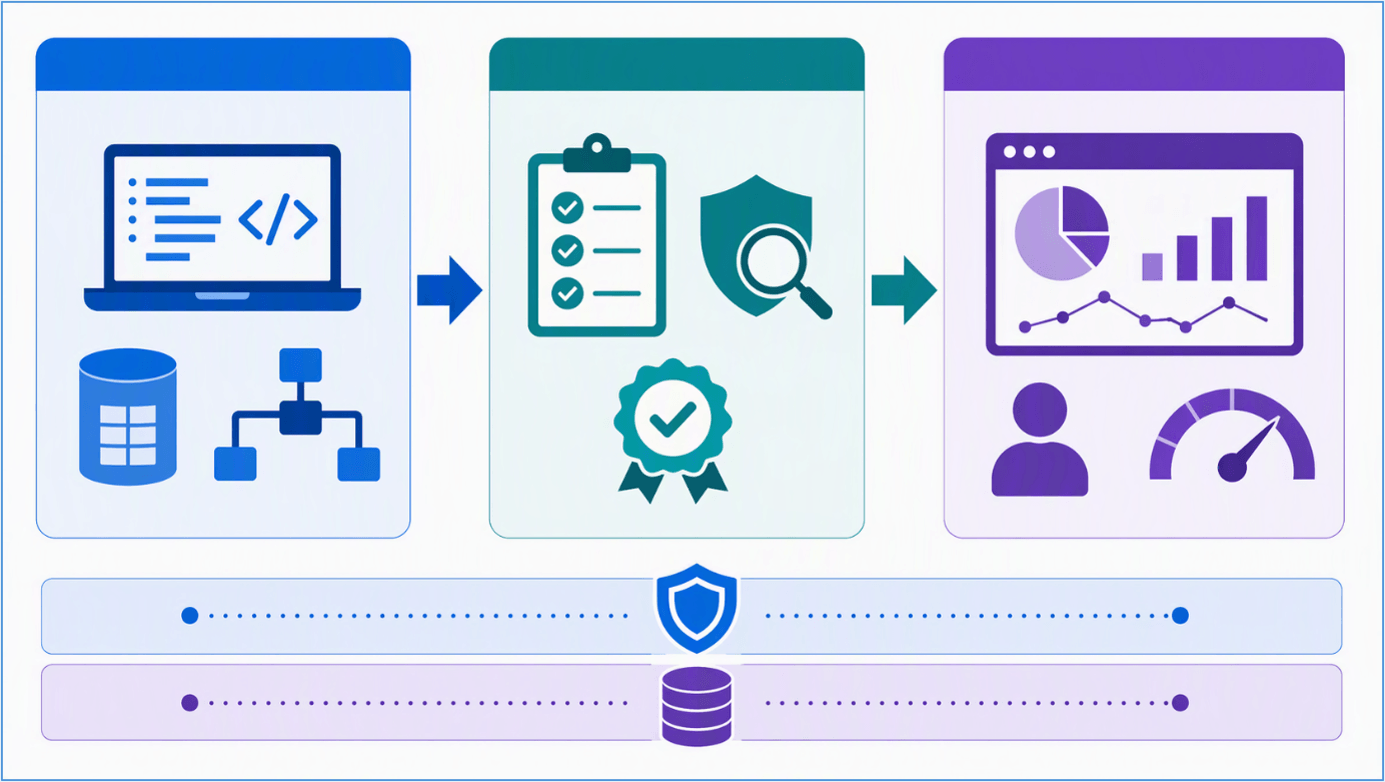
A typical enterprise pipeline separates authoring, validation, and consumption while governance and source control support every stage.
During deployment, the service copies selected content to the adjacent target stage, preserves supported item relationships, and applies valid deployment rules configured for that target. Teams can deploy all content or use selective deployment. When selecting individual items, include their dependencies so a report is not promoted without the semantic model or other item it requires.
Stage comparison improves visibility, but it is not a complete code review. It helps release teams identify whether paired items are new, different, or unchanged. Reviewers must still understand the business requirement, semantic-model design, DAX impact, security implications, and expected user experience.
Deployment Pipelines Are Not Source Control
Deployment pipelines move content across environments; Git integration manages version history, branching, collaboration, and review for supported items. Mature teams often use both: Git for controlled development and traceability, then deployment pipelines for promotion through test and production.
Support differs by Fabric item type and can change as features mature. Before designing a release process, verify the current supported-items list and note which capabilities are in preview. If an item or property is unsupported, document the manual release step rather than assuming the pipeline will carry it forward.
Prerequisites and Design Decisions
Before creating a pipeline, confirm licensing and capacity requirements, tenant settings, supported item types, and workspace permissions against current Microsoft documentation. Microsoft currently requires a Fabric subscription and appropriate workspace administration to create and configure deployment pipelines. Each stage is associated with a workspace, and production designs should account for capacity placement and access.
Define the Environment Model
Use separate workspaces for development, testing, and production. Development is where creators build and perform early validation. Test should be stable enough for technical verification and user acceptance testing. Production should contain approved releases and should not become an authoring workspace.
For high-impact solutions, consider whether you also need integration, preproduction, or controlled pilot stages. Additional stages add cost and administration, so introduce them only when they represent a real release gate.
Plan Permissions Before Content
Apply least privilege across workspaces, pipelines, data sources, gateways, and repositories. Separate the ability to create content from the authority to deploy to production wherever practical. Give business testers access to the test experience they must validate without automatically granting pipeline administration or broad workspace permissions.
Document who can approve business meaning, who can validate security, and who can execute a production deployment. For smaller teams, one person may hold multiple roles, but the decision rights should still be explicit.
Inventory Dependencies and Manual Configuration
List every component required for a successful release: semantic models, reports, dataflows, parameters, credentials, gateway mappings, refresh schedules, apps, RLS roles, audience assignments, and downstream dependencies. Do not assume every setting or runtime dependency is copied during deployment.
For example, Microsoft documents that semantic-model data is not copied to the next stage and the model must be refreshed. After an initial deployment, gateway mapping may also require configuration in the target environment. Treat these as release tasks with named owners and evidence of completion.
A Practical Power BI Deployment Process
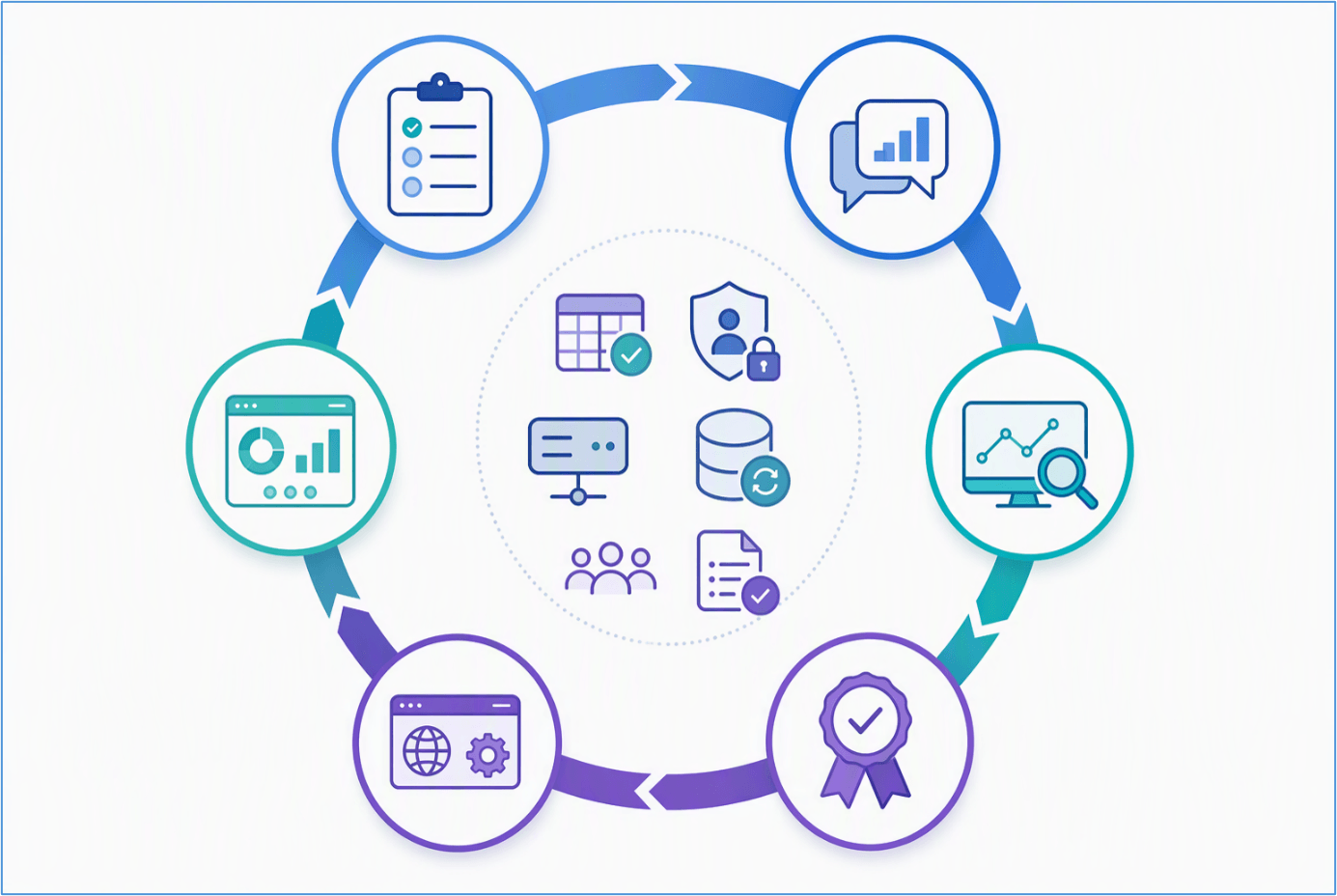
A complete release process combines development, peer review, testing, approval, production verification, and monitoring.
1. Develop Against a Clear Requirement
Start each change with a defined business question, owner, acceptance criteria, and affected assets. Build in Development, not Production. Review naming, relationships, measures, calculation logic, data types, query behavior, visual interactions, accessibility, and expected performance.
For shared semantic models, assess the impact on every dependent report. A seemingly harmless measure rename or relationship change can break downstream content or alter established business definitions.
2. Perform Peer Review Before Promotion
A peer review should examine both the technical implementation and the business contract represented by the model. Check DAX logic, filter context, model design, source queries, parameterization, sensitive fields, RLS implications, refresh behavior, and documentation. Record unresolved limitations rather than allowing them to disappear in chat or email.
3. Deploy to Test and Validate the Complete Experience
Promote the intended scope to Test/UAT. For selective deployments, inspect related items and dependencies before starting the deployment. Then validate the target environment rather than assuming that a successful pipeline status means the solution is ready.
- Data: Confirm source, credentials, parameter values, refresh success, freshness, row counts where appropriate, and representative totals.
- Model: Test key measures, relationships, calculation groups where used, hierarchies, and field behavior.
- Security: Validate workspace access, app audiences, RLS roles, and representative user experiences.
- Report: Check filters, bookmarks, drill-through, navigation, mobile or accessibility requirements, and critical visuals.
- Operations: Check refresh duration, capacity impact, gateway health, subscriptions or alerts where applicable, and support readiness.
Business subject-matter experts should complete UAT against agreed scenarios. Their approval should confirm that definitions, results, and usability meet the requirement, not merely that the report opens.
4. Capture a Traceable Release Approval
Keep approval lightweight but explicit. Record the release scope, approved items, test evidence, known limitations, approver, deployment window, communication plan, and rollback or corrective-release approach. This creates accountability without turning every release into a large project.
5. Deploy to Production and Run a Smoke Test
Promote only approved content. Immediately verify the production data source, credentials, gateway mapping, refresh, app visibility, access, RLS, key measures, and high-value report pages. If production uses an app, confirm whether the app requires an update and validate the audience experience after that update.
Do not use Production as a repair environment. If an urgent correction is required, preserve traceability by applying the fix through the controlled path or documenting an emergency-change procedure that synchronizes environments afterward.
6. Monitor, Support, and Improve
ALM continues after deployment. Monitor refresh failures, capacity and query performance, usage patterns, data-quality signals, incidents, and user feedback. Retain release notes and ownership details. Periodically remove obsolete content and review whether permissions and RLS still reflect current responsibilities.
Environment Configuration and Deployment Rules
Environment-specific configuration is one of the most important parts of Power BI deployment pipelines. Development, test, and production commonly use different databases, servers, endpoints, parameters, or data volumes. Hard-coded production values make releases fragile and increase the risk of a report querying the wrong source.
Where supported, use deployment rules to apply target-stage values. Microsoft documents data-source rules and parameter rules for supported items, with additional rule types for specific Fabric workloads. Data-source rules generally require the replacement to remain the same source type, and rules take effect when content is deployed into the stage where the rule is defined.
Parameterize values that legitimately vary by environment, but do not treat parameters as a substitute for secure credential management. Validate credentials, gateway bindings, privacy settings, and source authorization independently in every target stage.
Mandatory Connection Checks
- Confirm the production model points only to approved production sources.
- Verify gateway and cloud connection mappings after the first deployment.
- Run a semantic-model refresh and review the refresh result.
- Check that test credentials or sample-data filters did not reach production.
- Validate DirectQuery, Direct Lake, or Import behavior according to the solution architecture.
Enterprise Use Case: Releasing a Financial Performance Report
Consider a finance reporting solution with a shared semantic model, executive report, department report, and RLS by cost center. The Development workspace uses a limited nonproduction dataset so creators can iterate without loading the production source. Test uses representative data and a restricted audience of finance subject-matter experts. Production connects to the governed finance source and distributes an app to approved leaders.
A controlled release begins with reviewed model and DAX changes. The team deploys the model and related reports to Test, applies the target-stage configuration, refreshes the model, and reconciles critical measures such as actuals, budget, and variance against an approved control. Testers validate navigation and definitions, while security reviewers test representative RLS roles.
After finance approval, the release manager promotes the approved dependency set to Production. The team confirms the production connection, refresh, RLS, app audience, and executive pages before announcing availability. This scenario illustrates the value of ALM: the pipeline moves content, while governance establishes whether the content is safe and meaningful to release.
Common Power BI ALM Mistakes and Better Practices
Treating the Pipeline as the Approval Process
A successful deployment confirms that the service completed an operation; it does not prove that metrics are correct or that stakeholders accepted them. Add documented technical validation and business approval around the pipeline.
Deploying a Report Without Its Dependencies
Selective deployment can break content when required items are missing in the target. Review dependencies and use the related-item selection capability where appropriate.
Assuming Every Property Is Promoted
Connections, gateway mappings, credentials, refresh settings, permissions, and app behavior require deliberate review. Maintain a release checklist based on the item types and architecture you actually use.
Developing Directly in Production
Direct production edits create stage drift, weaken traceability, and make the next deployment harder to predict. Restrict production authoring and define an emergency-change process for exceptional cases.
Using Production Data for Routine Development
Development and test environments should use appropriately protected data and separate sources when required. Microsoft recommends separating databases by stage to protect production stability and avoid unnecessary load. Apply data minimization and masking according to organizational policy.
Ignoring Preview Status and Support Boundaries
Fabric capabilities evolve, and support varies by item. Reconfirm supported items, limitations, capacity, and licensing before implementation or major release changes. This is especially important for preview features and cross-workspace dependencies.
Security, Governance, and Scalability Considerations
Security must be tested as behavior, not reviewed as configuration. A role definition can look correct while a user receives unexpected access through workspace membership, app audiences, sharing, or group nesting. Test representative users and document expected outcomes.
Use Microsoft Entra groups where appropriate instead of assigning many individuals. Limit pipeline administrators and production contributors. Review service principals and automation identities separately, granting only the permissions required for deployment and verification.
At scale, standardize workspace naming, ownership, release evidence, support contacts, and environment rules. Group solutions by domain and ownership rather than placing unrelated enterprise content into one oversized pipeline. Different teams can use separate workspaces, repositories, permissions, and release cadences while still consuming governed shared data products.
For repeatable releases across many solutions, evaluate API-based automation and integration with Azure DevOps or GitHub Actions. Automation should enforce approvals and validation, not simply move errors faster. Start with a reliable manual process, then automate stable steps such as deployment initiation, status checks, evidence capture, and notifications.
Key Takeaways
- Power BI ALM manages the full lifecycle; deployment pipelines are one enabling component.
- Separate Development, Test/UAT, and Production so production remains an approved release environment.
- Use deployment rules and parameters for supported environment-specific configuration, then verify connections and refreshes.
- Combine technical testing with business UAT and explicit release approval.
- Validate RLS, workspace access, app audiences, and source authorization in every target environment.
- Use Git integration for source control and deployment pipelines for controlled promotion where supported.
- Monitor production and retain a corrective-release or rollback strategy.
How Reality Tech Can Help
Reality Tech helps organizations design and improve Power BI and Microsoft Fabric operating models, from workspace and security architecture to deployment pipelines, governance, and release automation. If your reporting environment has outgrown direct publishing, contact Reality Tech to plan a practical ALM approach aligned with your teams, risk profile, and platform roadmap.
Frequently Asked Questions
Power BI application lifecycle management is the process used to develop, test, approve, deploy, operate, and retire Power BI content. It includes technical assets, environment configuration, security, documentation, ownership, and release controls.
No. Deployment pipelines promote supported content across environments. Git provides version history, branching, collaboration, and review for supported items. Azure DevOps or GitHub Actions can orchestrate automated workflows and approvals. Enterprise teams may use these capabilities together.
Deployment copies supported model metadata, not the semantic-model data itself. Refresh the target semantic model and verify credentials, connections, gateway mapping, and results before release.
For supported items and sources, deployment rules can apply target-stage data-source or parameter values. Rule types and limitations vary, so confirm current Microsoft documentation and test the rule before production use.
Validate role logic and test representative users in the target environment. Also review workspace roles, sharing, app audiences, and group membership because the effective user experience depends on more than the RLS definition alone.
Have a question?
We’re here to help. Get in touch with us anytime, 24/7